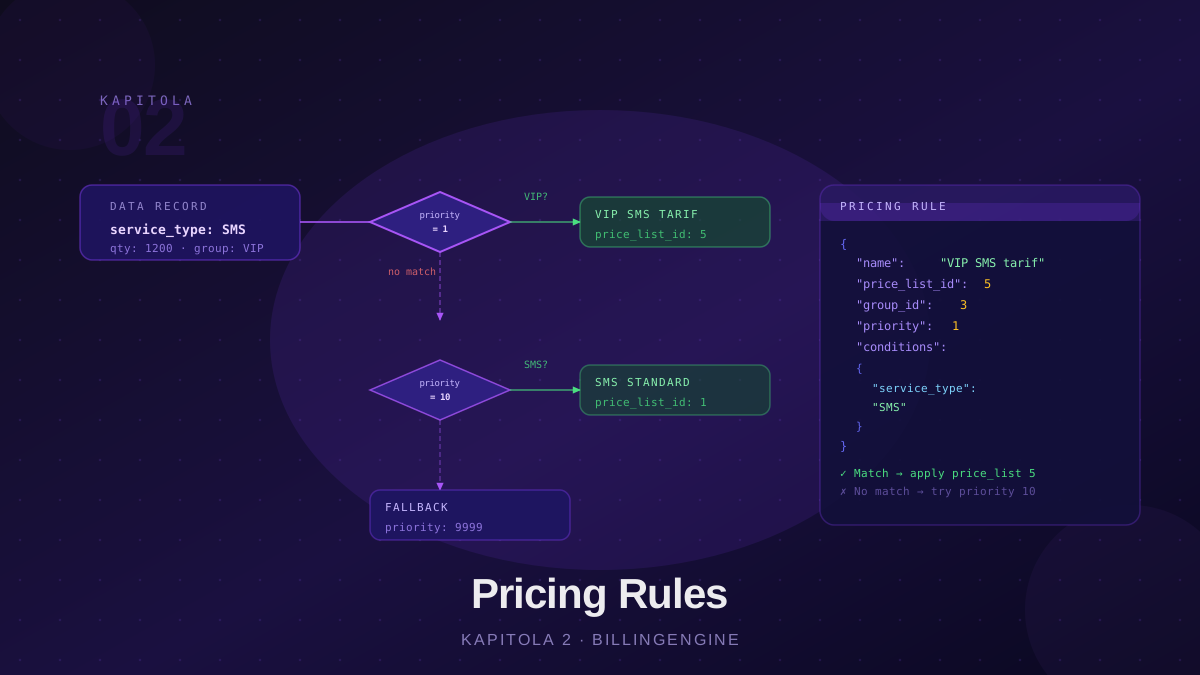
What Are Pricing Rules?
Pricing rules are records that tell the engine: “For this customer (or group), within this time window, use this price list.” They connect a customer or customer group to a specific price list and define the pricing category — for example, whether the price is retail, wholesale, or an internal cost rate.
A pricing rule does not contain any conditions on data record attributes. The selection of the specific price list item is handled automatically by the rating engine based on the code (code) of the data record.
Pricing Rule Structure
A pricing rule consists of the following fields:
| Field | Required | Description |
|---|---|---|
name | ✓ | Human-readable rule name |
code | ✓ | Rule code (identifies the service category) |
billing_category | ✓ | Price type: cost, retail, wholesale, reseller |
price_list_id | ✓ | ID of the price list to use |
valid_from | ✓ | Rule start date (ISO date) |
valid_to | Rule end date (NULL = no expiry) | |
customer_id | ID of a specific customer (NULL = applies to all) | |
group_id | ID of a customer group | |
priority | Integer, default 0 — higher number = higher priority | |
scope | self (default), children, subtree | |
is_active | Boolean, default true |
Example — creating a rule via the API:
POST /api/v1/pricing-rules
Content-Type: application/json

{
  "name": "VIP customers — retail pricing 2026",
  "code": "VIP-RETAIL-2026",
  "billing_category": "retail",
  "price_list_id": "uuid-vip-price-list",
  "group_id": "uuid-vip-group",
  "priority": 100,
  "valid_from": "2026-01-01",
  "valid_to": null
}
How the Engine Selects Rules
When rating each data record (DR), the engine follows these steps:
1. Load the customer’s groups Determines which groups the customer belongs to.
2. Load all active rules for the partner
Filters only rules with is_active = true.
3. Filter to applicable rules A rule is considered applicable if it satisfies one of:
rule.customer_idmatches the DR customer ID → customer-specific rulerule.group_idis in the customer’s groups → group rule- Both
rule.customer_idandrule.group_idare NULL → default rule (applies to everyone)
And the DR must fall within the rule’s validity window:
valid_from ≤ DR timestamp ≤ valid_to
4. Sort by priority descending The rule with the highest priority number is processed first.
5. For each applicable rule, look up the price list item
Searches for an item with the same code as the data record (dr.code → price_list_item.code). If found, calculates the price and creates a rated record. If not found, skips to the next rule.
Multiple Ratings per Record
An important characteristic: the engine does not stop after the first matching rule. It processes all applicable rules, and for each one where it finds a matching price list item, it creates a separate rated record.
This allows a single DR to receive both:
- A cost price (what the operator pays the carrier) —
billing_category: "cost" - A retail price (what the operator charges the customer) —
billing_category: "retail"
Both records are generated from the same DR, each using a different rule and a different price list.
Billing Category
The billing_category field defines the type of pricing level. Supported values:
| Value | Use case |
|---|---|
cost | Cost price — what the operator pays the supplier |
retail | Retail price — what the customer pays the operator |
wholesale | Wholesale price — for B2B sales |
reseller | Reseller price — for distribution partners |
A typical telecom operator configuration has two rules per record type: one cost (referencing the cost price list) and one retail (referencing the customer price list). This creates a complete margin view.
Priority
Priority is an integer — higher number means higher priority, rules are evaluated in descending order. The default is 0.
Example priority hierarchy:
| Priority | Customer / Group | Billing category | Price list |
|---|---|---|---|
| 200 | specific customer | retail | Individual list |
| 100 | VIP group | retail | VIP list |
| 10 | (default) | retail | Standard list |
| 5 | (default) | cost | Cost list |
A customer with an individual rule at priority 200 is processed before the group rule at priority 100.
Rule Validity Window
Unlike price list versions, a pricing rule has its own time window: valid_from and valid_to. This enables:
- Creating a rule for a seasonal promotion (
valid_from: "2026-06-01",valid_to: "2026-08-31") - Expiring an old rule without deleting it (set
valid_to) - Preparing rules in advance — the engine starts applying them automatically on
valid_from
The combination of valid_from/valid_to on the rule and valid_from/valid_to on the price list version allows very precise control over which price applies at what time.
Deactivating a Rule
To temporarily disable a rule without deleting it, set is_active: false:
PUT /api/v1/pricing-rules/{id}
Content-Type: application/json

{ "is_active": false }
The engine skips deactivated rules when loading. Reactivation is symmetric: is_active: true.
Default (Fallback) Rule
A rule without customer_id or group_id applies to all customers of the partner. It serves as a safety net for customers who aren’t in any specific group:
{
  "name": "Standard retail — all customers",
  "code": "DEFAULT-RETAIL",
  "billing_category": "retail",
  "price_list_id": "uuid-standard-list",
  "customer_id": null,
  "group_id": null,
  "priority": 0,
  "valid_from": "2026-01-01"
}
Best Practices
Always have a default rule. A customer with no matching rule produces an empty rating — this shows as an error in reporting. A default rule at priority 0 catches this.
Set priorities systematically. Define a convention: e.g. 1–9 default, 10–99 group, 100+ individual customer rules.
Use valid_to instead of deleting. A rule with a past valid_to is still historically traceable. A deleted rule is gone from history.
Name rules clearly. "VIP group — retail Q1 2026" is still understandable a year from now. "rule_42" is not.
Test combinations. With multiple applicable rules, verify that the combination of billing categories and price lists makes sense — especially that each DR receives exactly one retail rating.
Conclusion
Pricing rules are a flexible tool for assigning price lists to customers and groups, with support for multiple pricing categories, time validity, and priority. Unlike systems with dynamic conditions, they work on a simple direct mapping principle — customer/group → price list — clearly and without side effects. Chapter 3 covers customer groups, which form the foundation of segmentation.