What Are Customer Groups?
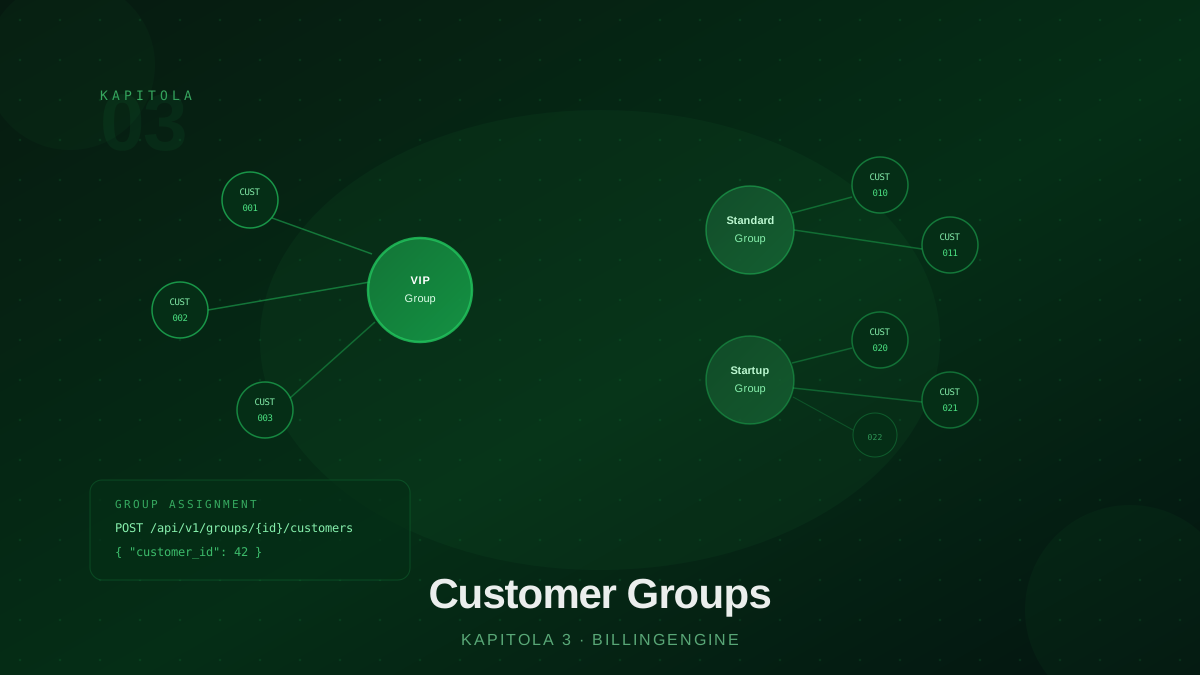
Customer groups are one of the simplest yet most powerful concepts in BillingEngine. A group is a named container to which you assign customers. Pricing rules then target these groups — this determines who gets which price list.
Without groups, pricing rules would have to target each customer individually or apply uniformly to everyone. With groups, you simply add a customer to a group and all rules targeting that group automatically apply.
Typical use cases for groups:
- Customer segmentation — VIP, Standard, Startup, Enterprise
- Geographic segmentation — customers in different regions with different rates
- Project groups — temporary groups for promotions or pilot programs
- Contractual groups — customers with special contracts requiring specific price lists
Creating a Group
Create a group with a simple POST request:
POST /api/v1/groups
Content-Type: application/json

{
  "name": "VIP Customers",
  "description": "Customers with monthly revenue above 500,000 CZK"
}
BillingEngine returns the group object with an assigned id. Use this ID when assigning customers and creating pricing rules. Choose a clear name — "VIP Q1 2026" or "Startup Program" are good. Avoid abstract names like "group_A" — you won’t know what they mean in six months.
Assigning Customers to Groups
Assign a customer to a group:
POST /api/v1/groups/{groupId}/customers
Content-Type: application/json

{
  "customer_id": "uuid-of-customer"
}
One customer can be a member of multiple groups simultaneously. This enables flexible combinations — a customer can be in both the “VIP” group and the “Summer Promo 2026” group. Pricing rules then compete for the customer based on priority.
Get the list of customers in a group:
GET /api/v1/groups/{groupId}/customers
Remove a customer from a group:
DELETE /api/v1/groups/{groupId}/customers/{customerId}
Groups and Pricing Rules
A group by itself does nothing — it is just a container. The actual work is done by pricing rules that reference the group via group_id. When the engine rates a data record, it checks whether the customer belongs to the group specified in the rule. If so, the rule is eligible (provided other conditions are also met).
POST /api/v1/pricing-rules
Content-Type: application/json

{
  "name": "VIP customers — retail pricing 2026",
  "code": "VIP-RETAIL-2026",
  "billing_category": "retail",
  "price_list_id": "uuid-vip-price-list",
  "group_id": "uuid-vip-group",
  "priority": 100,
  "valid_from": "2026-01-01"
}
This rule only applies to customers in the VIP group. Customers outside the group skip this rule and the engine looks for other rules with lower priority.
Example: Segmentation Architecture
Imagine an operator with three customer segments:
Groups:
  VIP Customers   → rules with priority 100+
  Standard        → rules with priority 10
  Startup Program → rules with priority 50

Customer "End Customer Ltd":  member of VIP
Customer "Tech Corp":         member of Standard
Customer "Startup XYZ":       member of Standard + Startup
“Startup XYZ” is in two groups. The engine sorts rules descending by priority — Startup group rules have priority 50, Standard group rules have 10. The engine processes Startup rules first (higher number = higher priority), with Standard rules as a fallback.
Temporary Groups for Promotions
Groups are the ideal tool for time-limited promotions without touching permanent configuration:
- Create a group
"Summer Promo 2026"with a description and planned expiry note - Create a rule with high priority targeting this group
- Add customers — only those who should participate in the promotion
- When the promotion ends — remove customers from the group or delete the group
The promotion rule references a special price list with promotional rates. Once customers are removed from the group, they automatically revert to standard rules — the rule itself remains, but without customers in the group it never activates.
Groups vs. Direct Customer Assignment
A pricing rule can also target a specific customer directly via customer_id — without a group. This is useful for one-off individual agreements or exceptions.
Groups are the better approach for most cases because:
- Scalability — adding a new customer to a group is instant, no new rule needed
- Consistency — all customers in a group receive identical conditions from the same rule
- Clarity — clear logic: group X → rule Y → price list Z
- Auditability — from a rated record it is clear which group triggered the rule
Use direct customer_id on a rule only for truly individual cases. For segmentation, use groups.
Managing Groups Over Time
Groups are living objects — their membership changes with your business reality:
- New VIP customer → add them to the VIP group
- Customer terminated contract → remove from groups, or archive the group
- End of promotion → remove customers from the promo group
- Segment restructuring → create new groups, move customers, delete old groups
BillingEngine does not maintain membership history — if you remove a customer from a group, past records remain correctly priced (the price is embedded in the record), but new records will be rated without the group membership.
Best Practices
Have a clear segmentation strategy. Before creating groups, think about how you want to segment customers. Well-designed groups save time when managing rules.
Document groups thoroughly. Use the description field fully — describe who belongs in the group and why. You’ll appreciate it a year from now.
Regularly review memberships. Customers who no longer belong to a group may be getting incorrect prices. Schedule regular audits.
Use groups as a toggle. For temporary promotions, don’t rewrite rules — use groups as a switch that activates or deactivates a special price list.
Remove empty groups. Empty groups unnecessarily clutter configuration. If a group has no customers and no planned assignments, delete it.
Conclusion
Customer groups are a simple but powerful mechanism for segmentation. Their combination with pricing rules allows modeling arbitrarily complex pricing strategies without duplicating configuration. Chapter 4 focuses on customers themselves — how to manage them and how to use external IDs for seamless integration with your systems.