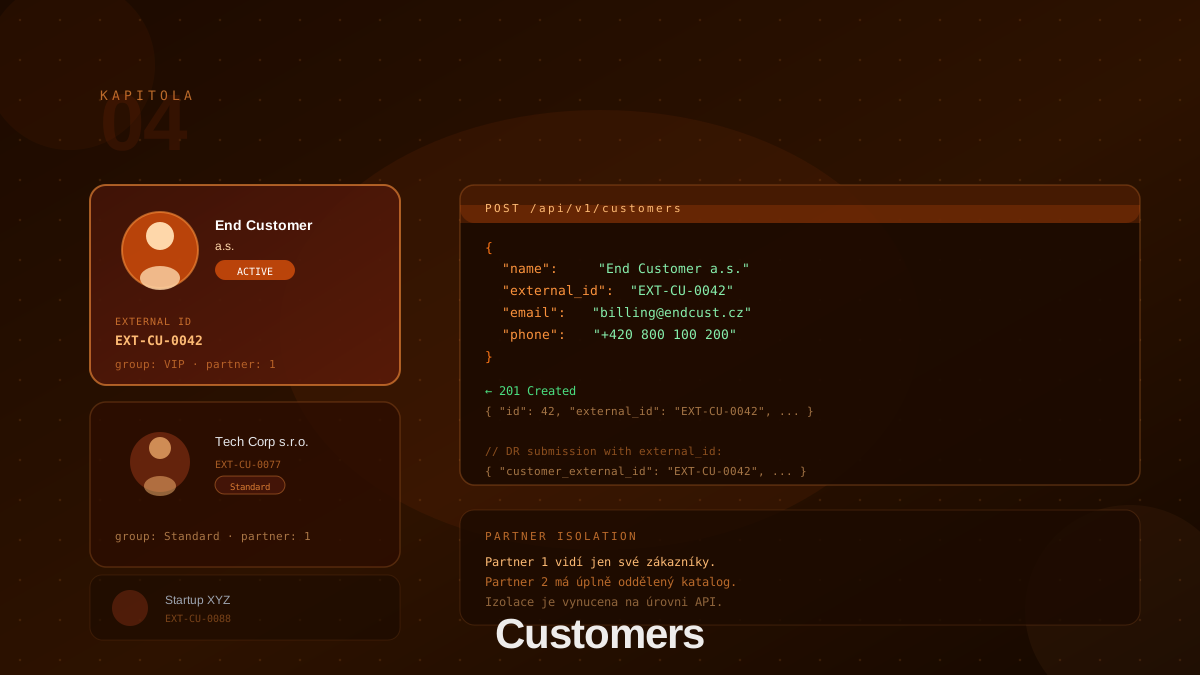
Customers in BillingEngine
A customer is the central entity around which all billing in BillingEngine revolves. Every data record (DR) must be assigned to a specific customer — only then does the engine know which rules and price lists to apply.
A customer in BillingEngine represents your end customers — companies that consume your services. Do not confuse this entity with system users (users), who are used for logging into the administration interface.
Customer Structure
A customer carries the following attributes:
| Field | Required | Description |
|---|---|---|
name | ✓ | Business name of the customer |
external_id | Your internal identifier (from CRM, ERP…) | |
tax_id | Customer tax ID | |
vat_id | Customer VAT ID | |
address_street | Street and number | |
address_city | City | |
address_zip | Postal code | |
address_country | Country code | |
group_ids | Array of group UUIDs for immediate assignment |
Creating a Customer
Create a new customer via the REST API:
POST /api/v1/customers
Content-Type: application/json

{
  "name": "End Customer Ltd",
  "external_id": "EXT-CU-0042",
  "tax_id": "GB123456789",
  "vat_id": "GB123456789",
  "address_street": "1 Example Street",
  "address_city": "London",
  "address_zip": "EC1A 1BB",
  "address_country": "GB"
}
The response contains only the id of the new customer:
{ "id": "uuid-of-new-customer" }
Assigning Groups on Creation
You can assign the customer to groups directly using the group_ids field:
{
  "name": "End Customer Ltd",
  "external_id": "EXT-CU-0042",
  "group_ids": ["uuid-vip-group", "uuid-promo-group"]
}
This eliminates the need for a separate group assignment call.
External ID: The Key to Seamless Integration
External ID (external_id) is your own customer identifier from a CRM, ERP, or other system. It is essential when submitting data records — it allows identifying the customer without knowing BillingEngine’s internal UUID:
// When submitting a DR, your identifier is enough:
{
  "customer_external_id": "EXT-CU-0042",
  "code": "SMS",
  "quantity": 1500,
  "time_from": "2026-03-31T14:00:00Z"
}
The external_id value must be unique across all your customers.
Managing Customers
GET    /api/v1/customers          # List customers (with pagination)
GET    /api/v1/customers/{id}     # Customer detail
PUT    /api/v1/customers/{id}     # Update customer
DELETE /api/v1/customers/{id}     # Delete customer
GET    /api/v1/customers/{id}/groups  # Customer's groups
Update (PUT) accepts the same fields as creation, including group_ids. Deleting a customer does not delete their historical data records — these remain in the database for audit purposes.
Customers and Groups
Assign customers to groups either directly on creation/update via group_ids, or separately via the group endpoint:
POST /api/v1/groups/{groupId}/customers
Content-Type: application/json

{ "customer_id": "uuid-of-customer" }
Get a customer’s groups:
GET /api/v1/customers/{id}/groups
A single customer can be a member of multiple groups simultaneously.
Customer Lifecycle
- Registration — customer is created in BillingEngine (manually or automatically from CRM)
- Group assignment — customer is added to appropriate segments (can be done in step 1 via
group_ids) - Active billing — customer generates data records, engine rates them
- Billing — at end of period, a summary is generated via the billing endpoint
- Segment change — customer moves to a different group (price increase, upgrade)
- Contract termination — remove from groups; decide whether to delete or retain for historical queries
Best Practices
Always set external_id. Even if you don’t need it now, retroactively adding it to hundreds of customers is painful. DR submission via customer_external_id then works immediately.
Don’t change external_id. Once set, it should not change — it’s an identifier referenced by data records. Changing it breaks integration.
Fill in billing details. The tax_id, vat_id, and address fields are optional, but filling them in simplifies invoice generation and regulatory compliance.
Delete customers carefully. Historical records survive, but you lose the reference to the customer object. If you just want to “deactivate” a customer, remove them from groups — deletion is not necessary.
Conclusion
The customer is the key entity connecting data records to price lists. External ID enables seamless integration with your existing systems. Chapter 5 covers data records — how to structure and submit them, and how the entire rating process unfolds.